
One data bridge inflated our in-game metrics by 33x. We caught it before those numbers reached a report. That bug is part of the story behind my one line in the FC 27 credits.
I’ve been playing this game since I was 10 years old, all the way back to FIFA 2005 on the PS2. This is the first time my name has been credited in a franchise, and it’s in one from a sport this close to my heart. I still can’t quite believe it.
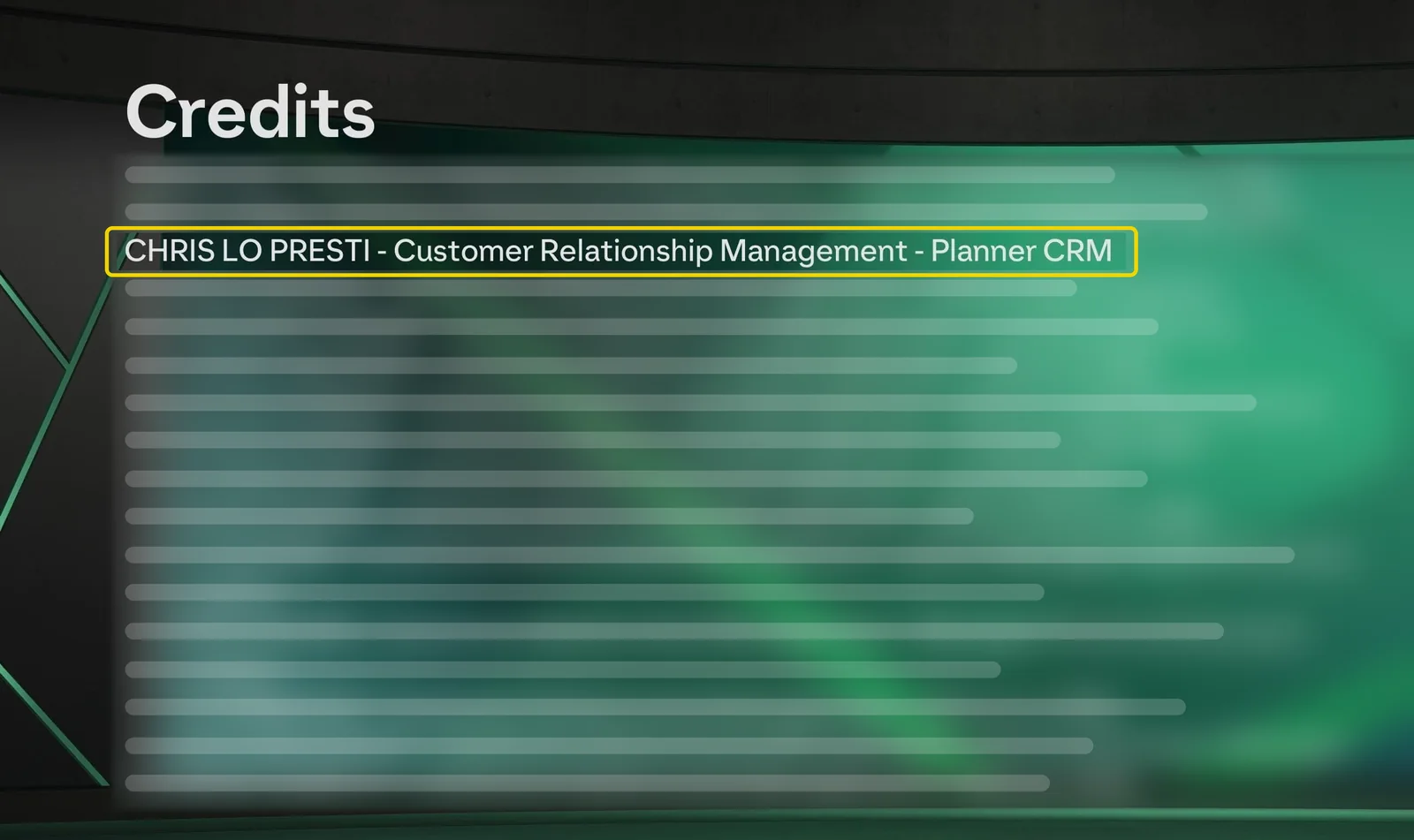
The line is on screen for about a second. It says Planner CRM. It doesn’t say what that job involves. Most of the interesting parts are the things that went wrong.
This isn’t a victory lap. These are field notes: what broke, how it got fixed, and what I’d do differently.
EA SPORTS FC 27 ran on a calendar that doesn’t move:
- Jul 23 Announced
- Sep 18 Early Access
- Sep 25 Worldwide release

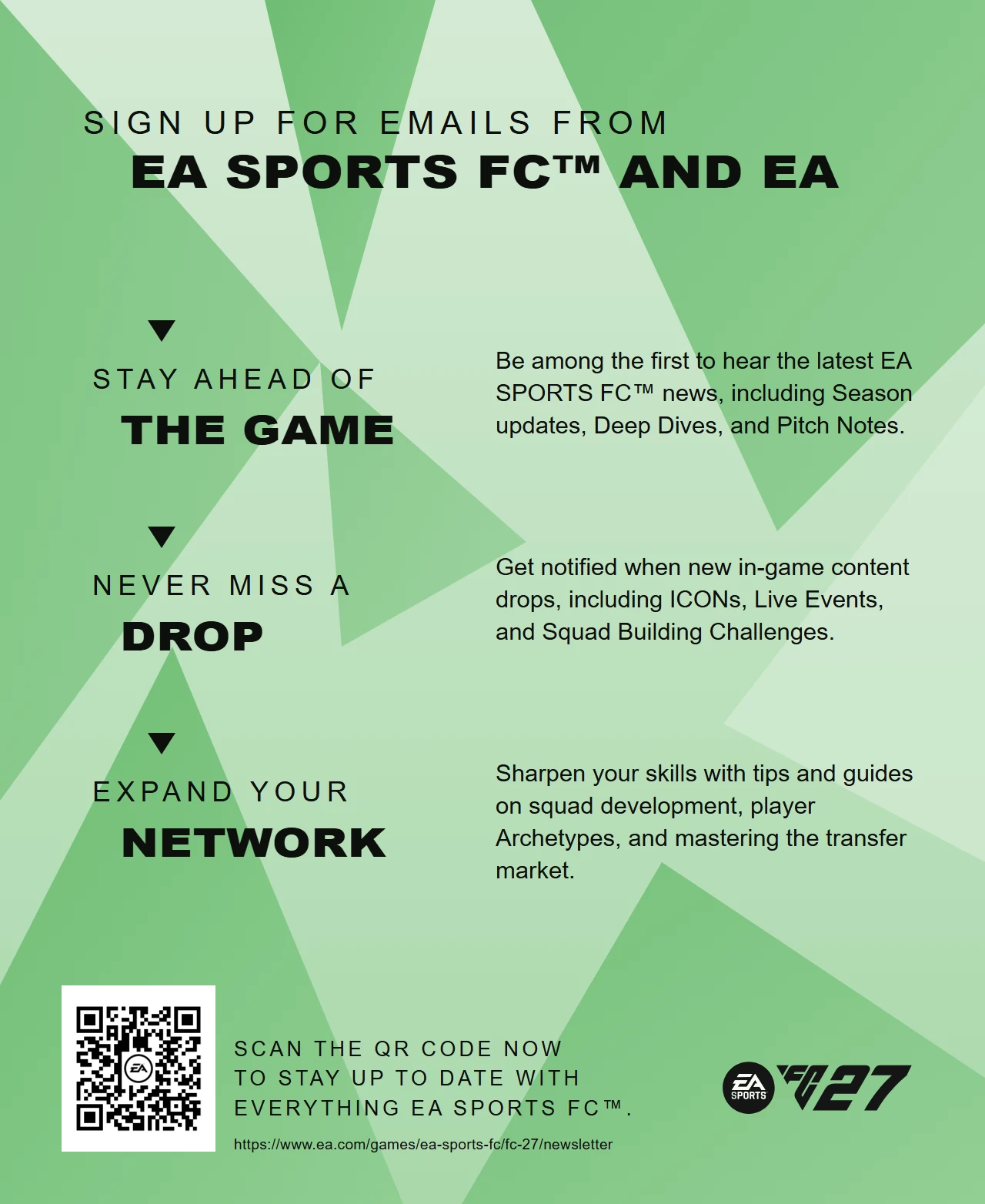
One piece of my CRM work shipped inside the box. I worked on a leaflet insert, with versions for Switch, Xbox, PlayStation and PC, that gives players a QR code to sign up for EA SPORTS FC and EA emails. Email only reaches players who opt in, so the job starts before the game does.
What a “Planner CRM” actually does
I work on which players hear what, on which channel, and when. Then I work on proving what happened afterward. The channels are email, in-game messaging and the companion app.

I’m the only person on the FC team based in Orlando. Everyone else is in Canada or the UK. Shared systems matter because the data has to answer questions while I’m offline and my colleagues are online.
The planning side is lifecycle work. Onboarding runs in four phases: identity, habit formation, mastery and churn prevention. Parallel journeys cover different game modes, and those streams can overlap in the same player’s inbox.
Club Membership splits into four audiences: prospects, current members, multi-year members and lapsed members. Each one needs its own suppression logic. I wrote about that in how segmentation reduces messaging fatigue.
The other half of the job is data. That’s where the good stories are.
What broke behind the FC 27 credits
I built a multi-channel reporting stack on Google Sheets and Apps Script, fed by n8n. It later moved to Postgres, with Grafana handling week-over-week and year-over-year views. Getting there took four failures. For the architecture, see the full reporting pipeline case study.
Incident 01
The numbers were 33x too high
The in-game data bridge inflated metrics by 33x. A multiplier that big is hard to miss. A smaller one could have sat in a report for months.
If nobody had caught it: every in-game number from that bridge would have overstated reality by 33x.
The fix: primary-row deduplication. Choose the one row that represents a record. Count only that row.
Lesson: dedupe before you aggregate. Once a total has been summed, the evidence of the duplicates is gone.
Incident 02
Most email rows had no campaign beat
Most email rows came through with an unknown campaign “beat”, the planning moment a send belongs to.
If nobody had caught it: we couldn’t have compared one launch moment to the same moment last year.
The fix: a ladder, because no shared key existed across platforms. Join on UID to the planning source in Airtable. If that fails, use the sales window around the send date. Then try keyword matching. Anything left goes into a flagged default bucket.
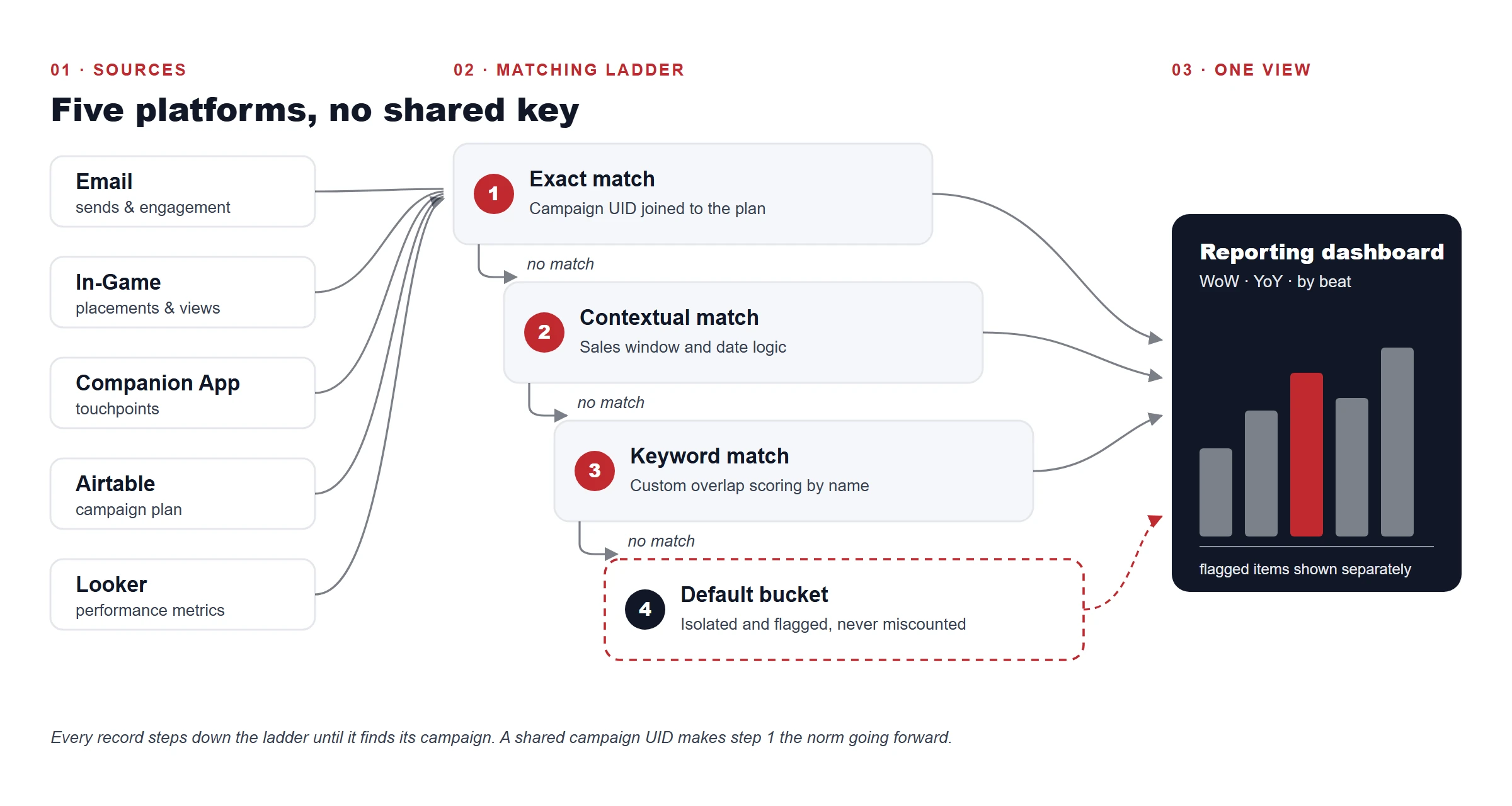
Lesson: not everything resolves, so make the gap visible. A visible “unknown” is more honest than a confident wrong answer.
Incident 03
n8n kept timing out
Keyword-overlap matching on large datasets kept killing n8n runs. I could have kept tuning the workflow. The problem was the runtime.
If nobody had caught it: the timeouts would have kept interrupting the matching that reporting depended on.
The fix: I moved the matching into Apps Script and left n8n to handle orchestration.
Lesson: know when your automation tool is the wrong place for the work.
Incident 04
An archive tab grew past 62,000 rows
A misconfigured upsert node let an archive tab bloat to more than 62,000 rows. It was the root cause of several failures that had looked unrelated.
If nobody had caught it: the tab would have kept growing, and we’d have kept treating those failures as separate problems.
The fix: I reconfigured the upsert to match on a unique key, so reruns update existing rows instead of adding new ones.
- Misconfigured Every rerun adds rows. The tab grows past 62,000.
- Fixed Every rerun updates existing rows. Only new records add rows.
Lesson: audit your upserts. They rarely fail loudly. They just keep writing.
Where AI helped, with guardrails
The planning calendar had 99 raw values for what should have been a short list. I consolidated them into 9 beats and 6 program pillars. Keeping new campaigns classified after that is where AI earned a place.
It’s a two-workflow system in n8n. One proposes classifications daily, using Gemini 2.5 Flash. The other processes corrections once a human has approved them. Nothing gets staged until a proposal clears four checks:
- Golden set Does it still get the known-correct examples right?
- Blast radius How many existing records would this change touch?
- Self-match Does the rule actually match the campaign it came from?
- Enum Is the output one of the allowed values?
Those checks aren’t free:
- Slower rollout: a proposal has to clear all four checks before it’s staged. Nothing ships the moment the model suggests it.
- Manual review time: a human approves every correction. That time comes out of the rest of the job.
- False rejects: strict checks can block a good proposal. A broad keyword might be right for one campaign and still get rejected.
I’ll take that trade. A slow, correct label beats a fast, wrong one.
I also left some taxonomy decisions to rules. One mode token always overrides everything else. Long-tail live-service events go to a deliberate catch-all instead of getting a new label each time. Broad keywords get rejected because they’d reclassify too much.
AI classification works with guardrails and a human approval loop. The model is the easy part. The checks make it safe to run every day.
Making comms feel live
Football doesn’t wait for a campaign calendar. I built a custom football-data integration to feed club-affinity communications with matches and results. The order of testing was the useful part:
- API check: Does the data exist, and do the quotas hold up?
- n8n dry run to Sheets: Does the output look right, with nothing going to players?
- CRM A/B test: Only then does it get near a real audience.
Each step costs less than the one after it. Each can kill the idea early. It now runs on a schedule, covering club results for the Premier League and LaLiga plus international fixtures, with match-day scheduling across the major competitions. The project page covers how the live data pipeline works.
What I’d do differently
- Add row-count and uniqueness checks on day one. Three of the failures above would have surfaced sooner with a simple check on every load.
- Choose the runtime before building the workflow. I’d size the data first and decide what belongs in n8n.
- Agree the campaign key before the first send. Our UID has a 50-character limit shared with another team. Our portion stays around 15 to 20 characters, and we don’t encode anything that already lives in its own column. Settling that earlier would have made the matching ladder much shorter.
The verdict
Worth it
- Primary-row deduplication
- A flagged bucket for anything that doesn’t match
- Four checks and a human approval loop around AI
- Testing the API, then a dry run, then an A/B test
Not worth it
- Tuning n8n for work that belongs in another runtime
- Guessing a label when the data says “unknown”
- Broad keywords with a high blast radius
- Trusting an upsert you haven’t audited
The verdict: boring checks beat clever fixes.
That’s the job behind the FC 27 credits, and I’d take it again. So would the 10-year-old on the PS2.
What’s the worst data bug you’ve caught after it hit a report?